
GPT Image 2 API Pricing Explained: How to Reduce AI Image Generation Costs
AI image generation has moved from creative experimentation into real production applications.
Today, developers use image APIs to generate:
- Website illustrations
- Marketing banners
- Product images
- Social media content
- AI-generated assets
However, when image generation becomes part of a real product, pricing becomes one of the biggest challenges.
Generating 10 images for testing is simple. Generating thousands of images every month for users, content platforms, or automation systems requires careful cost management.
This is why understanding GPT Image 2 API pricing and choosing the right API access strategy has become increasingly important.
How Does GPT Image 2 API Pricing Work?
Unlike traditional image generation platforms that charge a fixed price per image, OpenAI's image API follows a token-based pricing model.
The final cost depends on:
- Text input tokens (your prompt)
- Image input tokens (reference images or editing inputs)
- Image output tokens (generated image)
OpenAI explains that image generation API usage is priced separately for text and image tokens. For example, the GPT Image API pricing includes separate charges for text input, image input, and image output tokens.
The pricing model provides flexibility because users pay based on actual resource consumption, but it also creates complexity when estimating production costs.
What Factors Affect GPT Image 2 API Costs?
1. Image Quality
Higher-quality images require more computation.
Typical scenarios:
Low quality:
- Testing
- Internal tools
- Draft generation
Medium quality:
- Blog images
- Social media graphics
High quality:
- Commercial advertisements
- Product marketing materials
Choosing the highest quality setting for every request can significantly increase costs.
2. Image Resolution
Larger images consume more resources.
For example:
- 1024×1024
- 1536×1024
- Larger marketing assets
A blog thumbnail usually does not require the same resolution as a product advertisement.
Developers should select image sizes based on actual usage rather than always choosing the maximum resolution.
3. Prompt and Image Input
Image editing workflows can increase costs because the API may process:
- Reference images
- Uploaded images
- Multiple image inputs
For example, a simple text-to-image request:
"Create a blue AI robot illustration"
is cheaper than:
"Edit these five product photos and create a new marketing banner."
Why Token-Based Pricing Can Be Difficult for Developers
Token pricing works well for flexible AI usage, but it introduces several challenges.
For production applications, developers need to estimate:
- Average images generated per user
- Average cost per request
- Retry frequency
- Image quality requirements
A small difference in generation strategy can create a large difference in monthly expenses.
For example, an AI design tool generating 100 images per day has a completely different cost structure from a website generating 10,000 images per day.
How to Reduce GPT Image 2 API Costs
1. Improve Prompt Quality
One of the easiest ways to reduce costs is reducing failed generations.
Poor prompt:
Create a beautiful AI image.
Better prompt:
Create a modern SaaS illustration showing an AI assistant helping developers, blue and white color palette, minimal flat design, 16:9 layout, clean professional style.
A structured prompt reduces unnecessary retries.
2. Use Different Quality Levels for Different Scenarios
Not every image needs maximum quality.
Recommended strategy:
| Scenario | Quality |
|---|---|
| Testing | Low |
| Blog images | Medium |
| Advertising assets | High |
This approach helps balance quality and cost.
3. Create Reusable Prompt Templates
For applications generating thousands of images, reusable templates are extremely valuable.
Instead of generating random prompts:
Generate a picture.
Use:
Create a [style] illustration about [topic],
with [color palette],
for [platform usage],
including [layout requirements].
This improves consistency and reduces regeneration.
DDS Hub: A Simpler Way to Control Image API Costs
For many developers, the biggest challenge is not only the API price itself, but unpredictable billing.
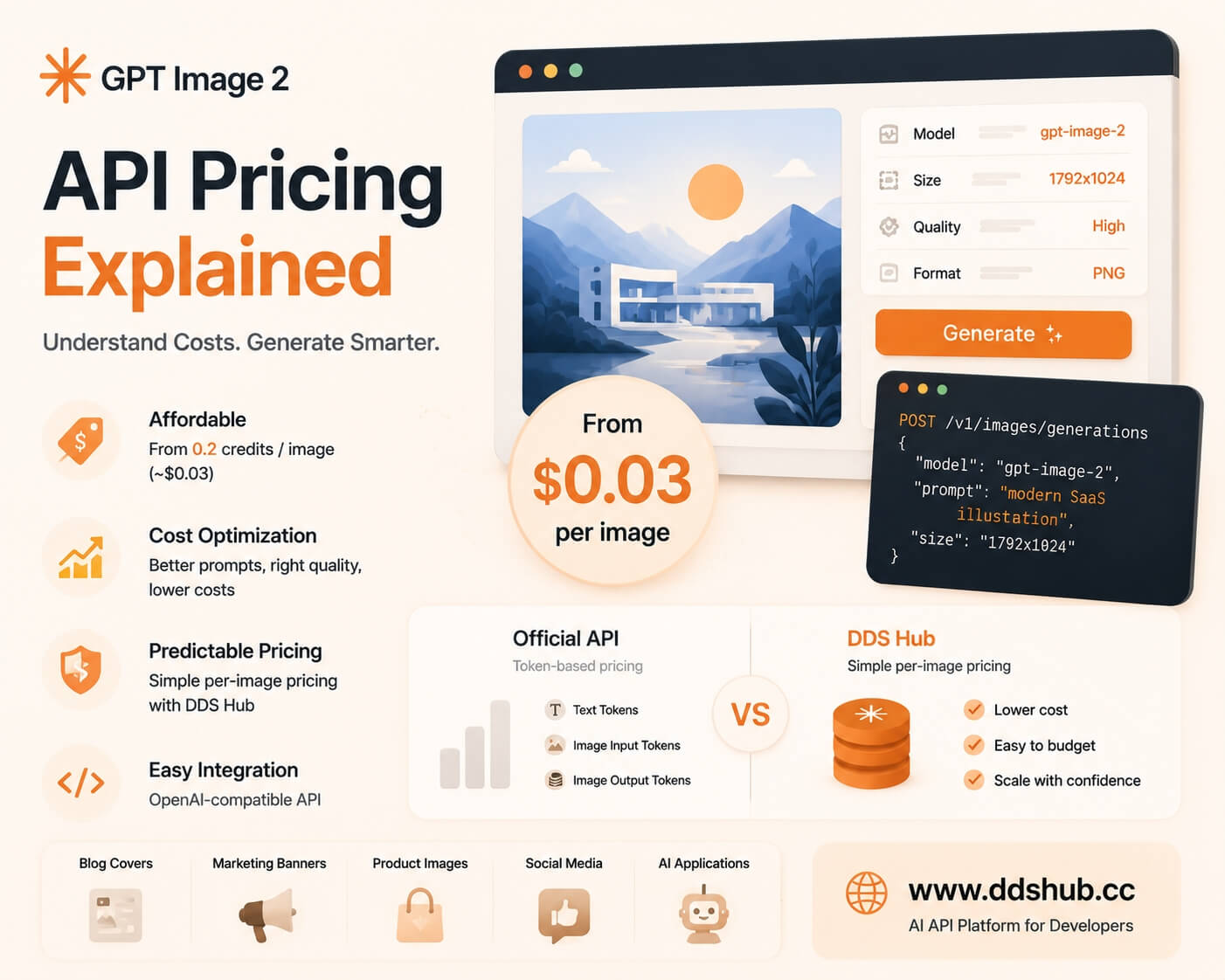
DDS Hub provides GPT Image 2 API access with a simpler pricing model.
Instead of calculating every token usage, developers can access image generation based on usage frequency.
Current pricing:
- Starting from 0.2 credits per image
- Approximately less than $0.03 per image
This makes it easier for developers to estimate costs when building:
- AI content platforms
- SaaS products
- Marketing automation tools
- Image generation services
GPT Image 2 API Comparison: Official API vs DDS Hub
| Official API | DDS Hub | |
|---|---|---|
| Pricing method | Token-based | Per-image usage |
| Cost prediction | More variable | Easier estimation |
| Best for | Custom API billing | Product development |
| Large-scale generation | Requires optimization | Simplified budgeting |
| Integration | OpenAI API | OpenAI-compatible API |
How to Use GPT Image 2 API on DDS Hub
Developers can integrate GPT Image 2 using an OpenAI-compatible API format.
Base URL:
https://www.ddshub.cc/v1Model:
gpt-image-2Example:
from openai import OpenAI

client = OpenAI(
    api_key="YOUR_API_KEY",
    base_url="https://www.ddshub.cc/v1"
)

image = client.images.generate(
    model="gpt-image-2",
    prompt="A modern AI startup illustration"
)
Documentation is available in the DDS Hub API Docs.
Who Should Use DDS Hub Image API?
DDS Hub is especially suitable for developers who need predictable image generation costs.
AI SaaS Developers building:
- AI design tools
- Website builders
- Marketing assistants
Content Platforms generating:
- Blog covers
- Newsletter images
- Social media graphics
E-commerce Applications creating:
- Product backgrounds
- Promotional images
- Campaign materials
AI Agents combining:
- Text generation
- Image generation
- Automated workflows
Final Thoughts
GPT Image 2 provides powerful image generation capabilities, but understanding API pricing is essential before moving into production.
Token-based pricing gives developers flexibility, but it also requires careful cost management. Image quality, resolution, prompt design, and regeneration frequency all influence the final cost.
For developers building applications that generate images at scale, a predictable pricing model can simplify operations.
With DDS Hub, developers can access GPT Image 2 through an OpenAI-compatible API while keeping image generation costs easier to estimate, starting from less than $0.03 per image.
As AI image applications continue to grow, controlling generation costs will become just as important as improving image quality.