
GPT Image 2 API Guide: How Developers Build AI Image Applications with DDS Hub
AI-generated images are becoming an important part of modern software applications. Instead of treating image creation as a manual design task, developers can now integrate image generation directly into websites, SaaS products, automation tools, and content platforms.
With models such as GPT Image 2, applications can automatically create marketing graphics, product illustrations, technical diagrams, social media images, and personalized visual content through simple API calls.
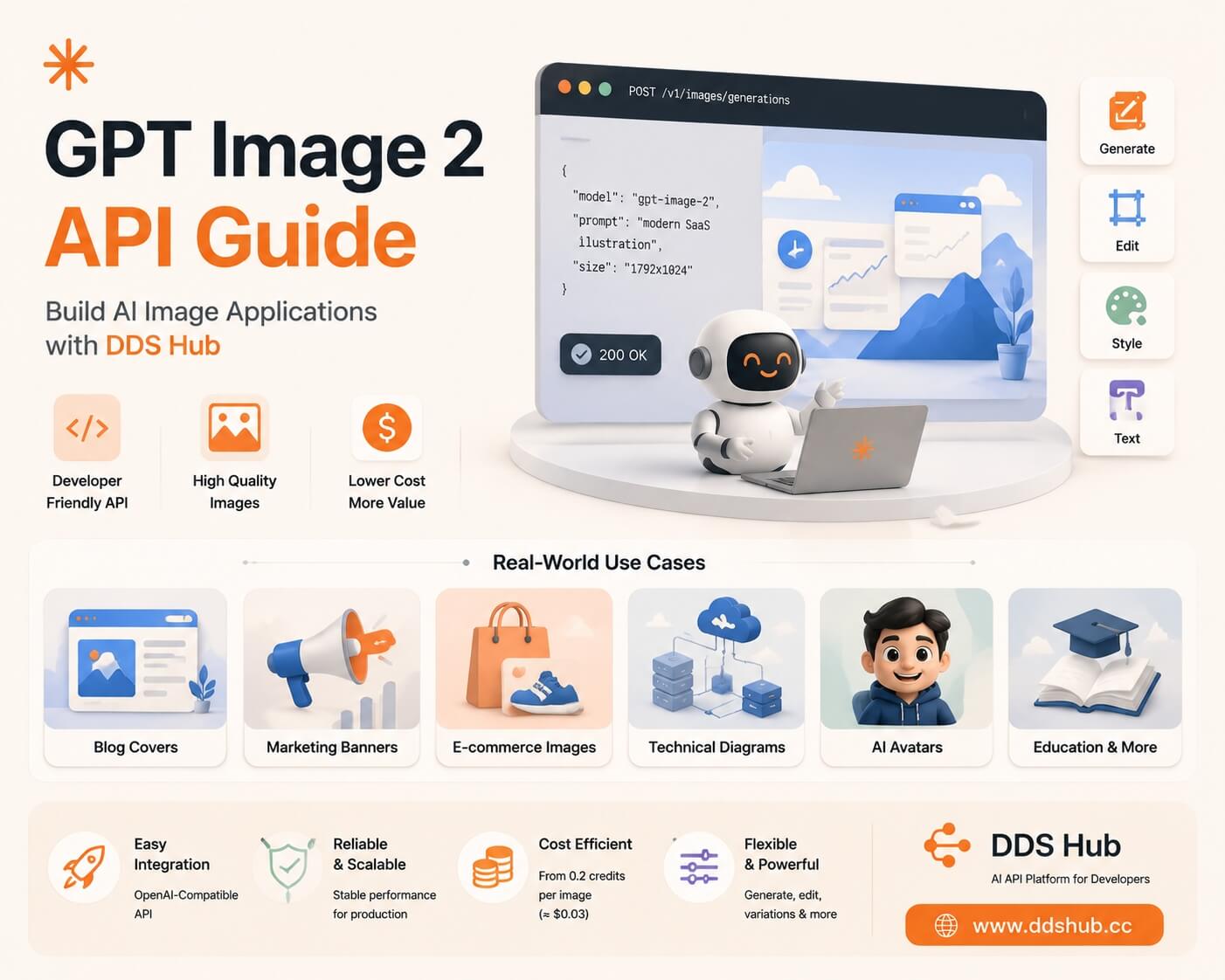
However, building a useful AI image application requires more than simply connecting an image model. Developers also need to understand how image APIs work, where they provide real business value, how to write effective prompts, and how to control generation costs at scale.
This article explains the benefits of image generation APIs, practical GPT Image 2 use cases, prompt engineering techniques, and how developers can access GPT Image 2 through DDS Hub with a more cost-efficient workflow.
What Is an Image Generation API?
An image generation API allows developers to create images programmatically instead of manually generating each image through a user interface.
Applications can send a text prompt, image reference, or editing instruction to an image model and receive a generated image that can be displayed, stored, or further processed.
This capability enables developers to add visual generation features directly into their products.
Common applications include:
- AI content platforms generating article illustrations
- SaaS products creating marketing assets
- E-commerce platforms generating product visuals
- Education platforms creating learning materials
- AI assistants producing customized images
OpenAI provides official documentation for image generation APIs, including supported models, parameters, and image creation workflows: platform.openai.com/docs/guides/images.
Why Developers Use Image Generation APIs
Automating Visual Content Creation
Producing high-quality images traditionally requires designers, editing tools, and significant manual effort.
For companies publishing large amounts of content, this process becomes difficult to scale.
With an image generation API, platforms can automatically create:
- Blog covers
- Newsletter illustrations
- Social media graphics
- Product announcements
- Marketing banners
For example, a technical blog can generate a customized cover image based on the article topic instead of searching for stock images or designing every image manually.
Creating Personalized User Experiences
Image APIs also allow applications to generate unique visuals for individual users.
Examples include:
- AI avatars
- Personalized characters
- Custom learning illustrations
- Product customization previews
This creates a more interactive experience compared with traditional static images.
Supporting AI-Powered Products
Many modern AI applications combine text generation and image generation.
For example, an AI marketing tool can generate both advertising copy and matching visuals. A design assistant can transform product descriptions into landing page graphics. A documentation platform can automatically create diagrams and illustrations based on technical explanations.
The combination of language models and image models creates new possibilities for automated creative workflows.
Real-World GPT Image 2 API Use Cases
1. Blog and SEO Content Generation
Content websites constantly need fresh visual assets.
GPT Image 2 can help automatically create:
- Article cover images
- Featured illustrations
- Social media previews
A typical prompt could be:
Create a modern AI technology blog cover,
minimal SaaS illustration style,
blue and white color palette,
clean professional design,
16:9 layout.
By combining structured prompts with automated publishing systems, content teams can produce more visual content without increasing design workload.
2. SaaS Product Marketing
SaaS companies frequently need new graphics for:
- Landing pages
- Product announcements
- Feature explanations
- Documentation pages
GPT Image 2 is particularly useful because it can follow detailed instructions about layout, branding, and typography.
For example:
Create a clean SaaS landing page illustration showing
an AI assistant helping developers,
modern flat design,
blue gradient colors,
large whitespace for headline text.
3. E-commerce Product Images
Online stores can use image generation and editing capabilities to create more engaging product visuals.
Examples:
- Changing product backgrounds
- Creating lifestyle scenes
- Generating promotional banners
- Producing seasonal campaign images
Instead of photographing every scenario manually, businesses can create multiple variations from existing product assets.
4. Developer Documentation and Technical Illustrations
Technical companies often need visual explanations for complex concepts.
Image APIs can generate:
- Architecture illustrations
- API workflow graphics
- Educational diagrams
- Developer documentation images
For example:
Create a technical illustration showing
an AI API platform architecture,
modern developer documentation style,
clean blue interface elements.
These visuals help make technical content easier to understand.
GPT Image 2 Prompt Engineering Tips
Good image generation results depend heavily on prompt quality.
A strong prompt usually includes:
Subject
Clearly describe what should appear.
Example: "AI assistant helping software developers."
Style
Define the visual direction.
Examples:
- Minimal flat illustration
- 3D render
- Editorial style
- Isometric design
- Photorealistic product photography
Composition
Explain the layout.
Examples:
- 16:9 banner
- Subject centered
- Empty space for headline
- Product positioned on the right side
Constraints
Add requirements that prevent unwanted results.
Examples:
- No watermark
- Transparent background
- Clean design
- Avoid unnecessary elements
A detailed but structured prompt usually performs better than a short creative description.
Popular GPT Image 2 Styles
Minimal SaaS Illustration
Best for websites, product pages, and technical blogs.
Prompt
Minimal SaaS illustration,
clean vector style,
soft blue and white palette,
modern AI technology theme,
simple geometric shapes,
professional startup branding.
Isometric Technology Style
Best for API documentation and developer content.
Prompt
Isometric illustration of AI infrastructure,
cloud servers connected with API services,
modern technical infographic style,
clean background,
professional developer documentation design.
Editorial Illustration Style
Best for blog articles and newsletters.
Prompt
Premium editorial illustration,
modern magazine style,
abstract geometric elements,
professional color palette,
clean composition.
3D Character Style
Best for product mascots and user onboarding.
Prompt
Friendly 3D AI assistant character,
rounded design,
expressive face,
soft studio lighting,
high quality product mascot style.
Using GPT Image 2 API with DDS Hub
DDS Hub provides an OpenAI-compatible API platform that allows developers to integrate GPT Image 2 into existing applications.
The integration process is similar to other OpenAI-compatible APIs.
Configure the Base URL:
https://www.ddshub.cc/v1Select the model:
gpt-image-2Developers can use existing OpenAI SDK workflows with minimal changes. More information is available in the DDS Hub Documentation and the DDS Hub Models page.
How DDS Hub Helps Reduce Image Generation Costs
For production applications, image generation cost is an important consideration.
The final cost is usually affected by:
- Image size
- Quality level
- Number of generated images
- Prompt iterations
A poorly optimized workflow may require many regeneration attempts, increasing API expenses.
Developers can reduce costs by:
- Creating reusable prompt templates
- Testing with lower quality settings first
- Using precise prompts to reduce retries
- Selecting appropriate image sizes for different scenarios
According to OpenAI's official pricing model, image generation costs vary depending on generation settings such as image quality and size.
DDS Hub provides GPT Image 2 image generation starting from 0.2 Platform Credits per image, approximately US$0.03 per image. For comparable configurations, this provides a lower-cost option for developers building applications that require image generation at scale.
Why Developers Choose DDS Hub
Modern AI applications often combine multiple models.
A single product may require:
- Claude for reasoning
- Codex for programming assistance
- GPT Image 2 for image generation
- GLM for multilingual applications
Managing multiple providers can increase technical complexity.
DDS Hub provides a unified API platform that helps developers simplify AI model integration through:
- OpenAI-compatible API access
- Unified billing
- Easier model management
- Flexible AI workflow development
For developers building AI-powered products, this approach reduces infrastructure complexity and makes experimentation easier.
Final Thoughts
Image generation APIs are changing how companies create digital content.
Instead of manually designing every visual asset, developers can integrate models like GPT Image 2 directly into applications and automate image creation across marketing, content, e-commerce, education, and software development.
However, successful image generation depends on more than choosing a powerful model. Effective prompt engineering, cost optimization, and reliable API infrastructure are equally important.
With GPT Image 2 and DDS Hub, developers can build scalable AI image applications while maintaining a practical balance between quality, flexibility, and cost.